Drawing Buddy

Category:
Physical Product Design
Duration:
4 weeks
📌 What is Drawing Buddy?
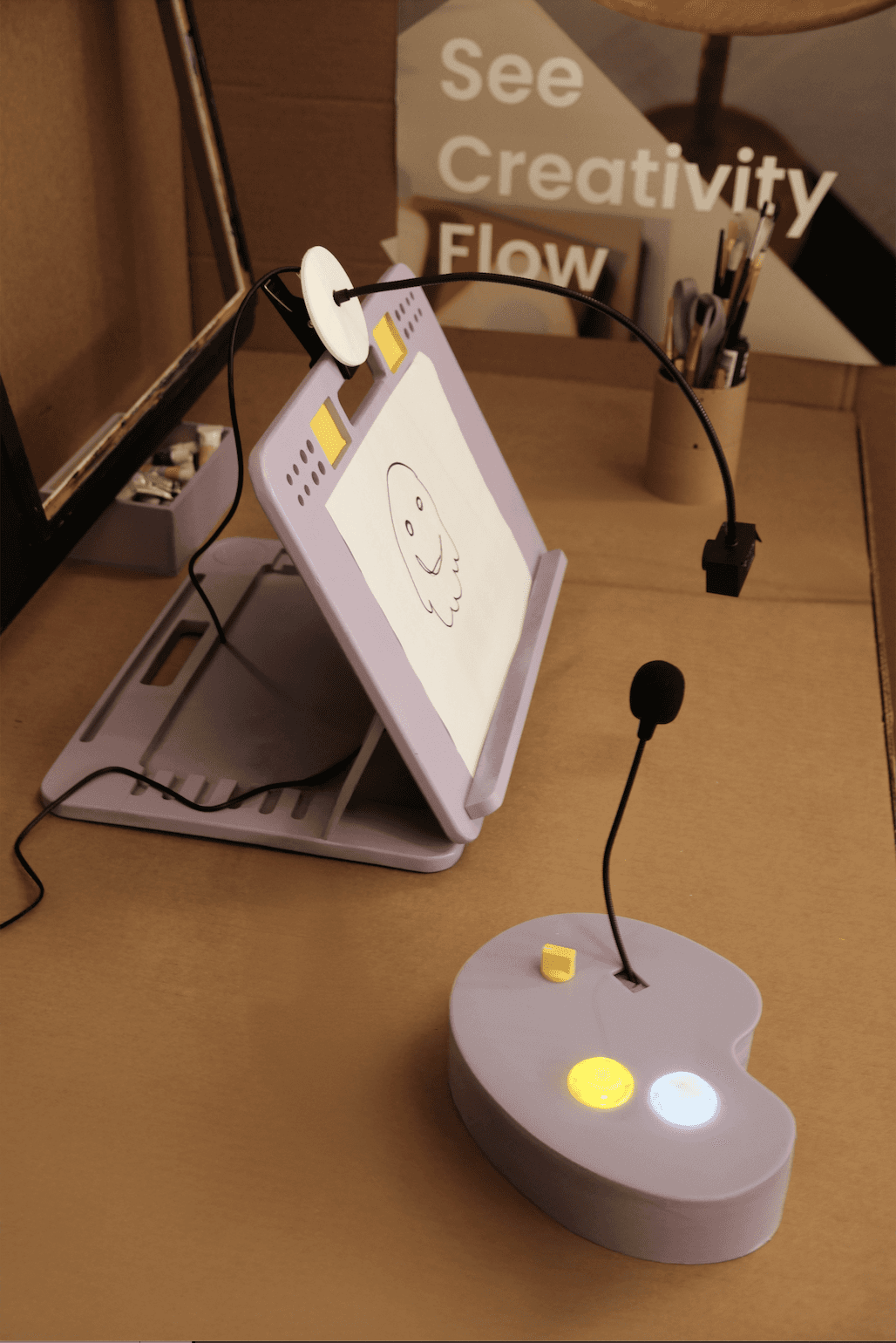
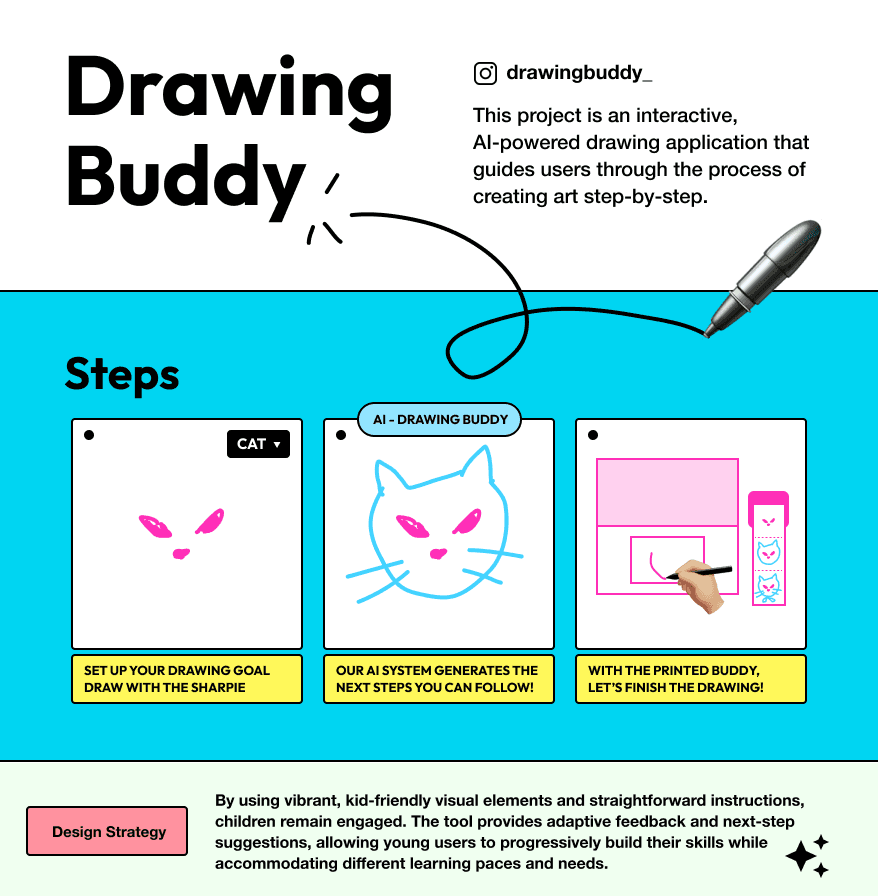
Drawing Buddy is an AI-augmented co-creative system designed to help K-12 students gain confidence in drawing through real-time AI feedback and tactile interactions. It merges traditional art with modern technology, making creative learning more intuitive, engaging, and approachable.
⭐ What Inspired This Project?
"Many young learners struggle with traditional art due to a lack of guidance, while digital tools often fail to provide the hands-on, tactile experience needed for skill-building."
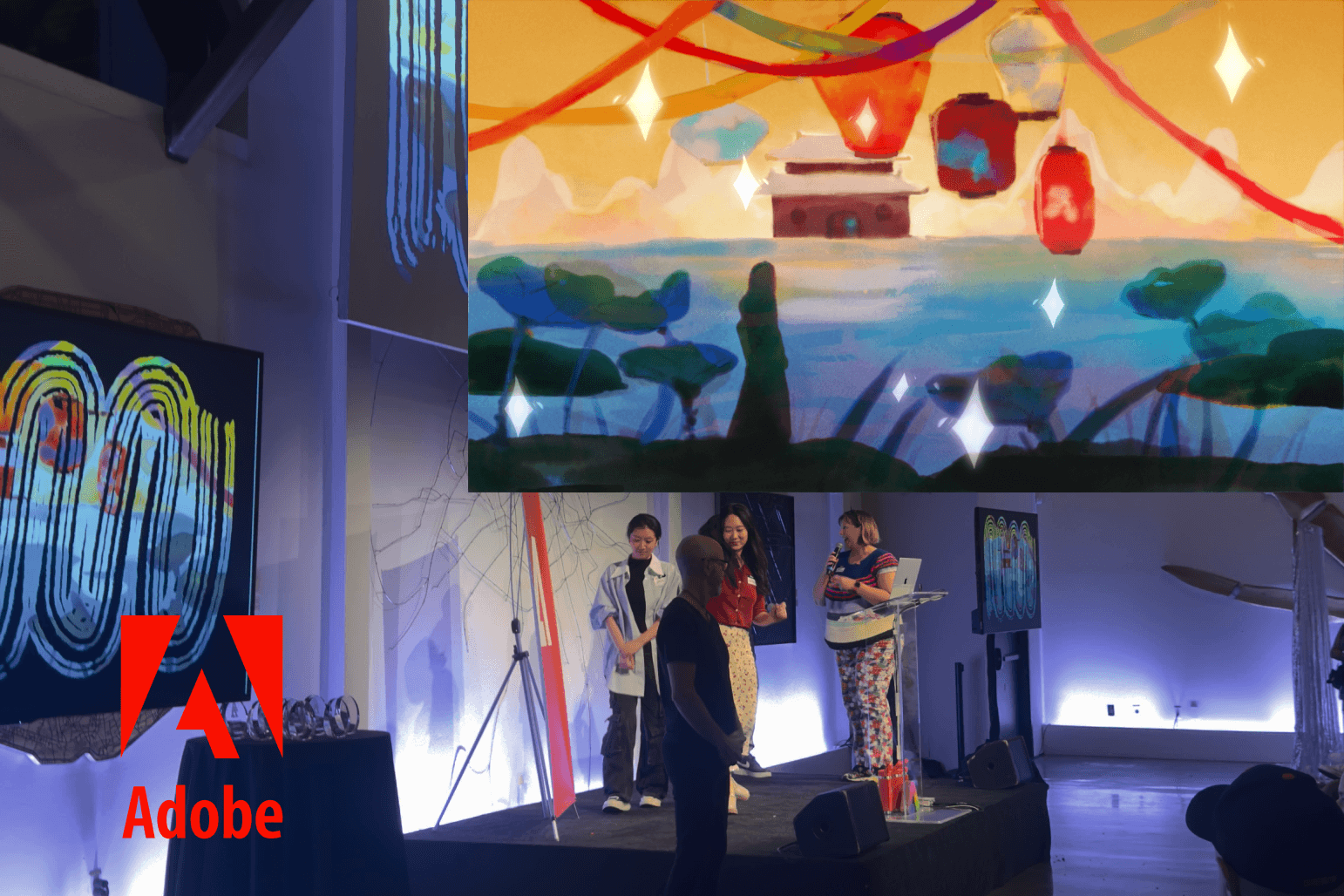
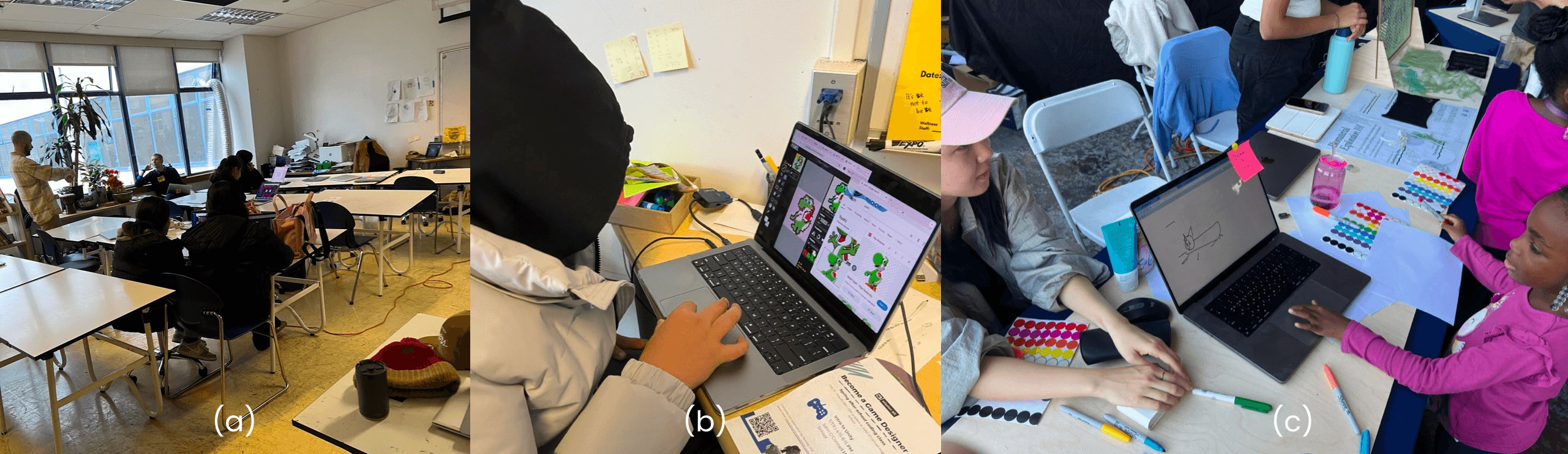
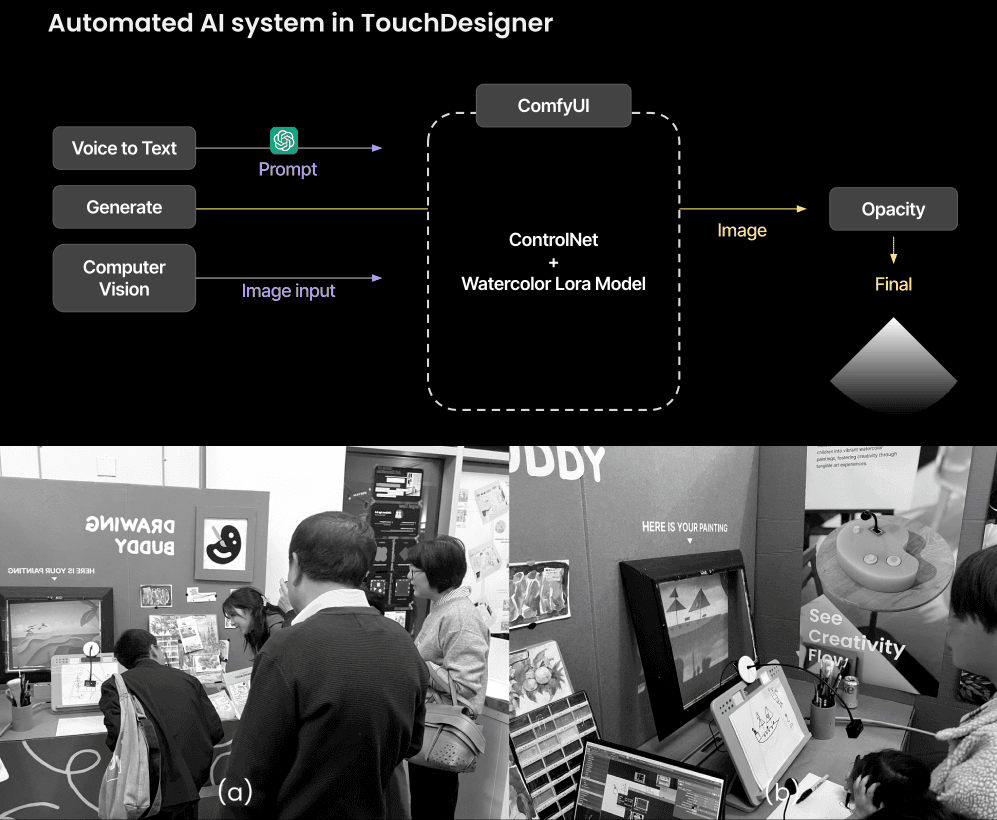
Earlier while teaching an art class at John O’Connell High School (a), something caught my attention:
Some students rushed through assignments just to get credit.
Others were deeply immersed in creative exploration.
Many, however, lacked confidence—they hesitated, second-guessed, or gave up altogether.
🎨 Key Observation:
A student (b) trying to draw Yoshi struggled with proportions and structure, growing visibly frustrated. Another wanted to draw fireworks but couldn’t translate her vision onto paper
💡 The Problem Felt Personal
I remembered my own childhood struggles with art—how the lack of guidance, structure, and confidence made drawing feel like an intimidating challenge rather than an enjoyable experience.
⭐ User Research: Understanding Student Needs
The Challenge:
Traditional Art = Intimidating for Beginners → No real-time feedback, high skill barrier.
Digital Art Tools = Lack of Tactile Interaction → Limited hands-on learning.
Students Give Up Too Easily → They struggle to translate ideas into visuals.
" How might we make traditional art more engaging, intuitive, and confidence-building for K-12 students through AI-powered assistance? "
To validate the problem and guide the design, I conducted:
Classroom Observations – Teaching 180+ students in six periods.
Teacher Interviews – Discussed pain points & teaching methods.
Student Feedback – Explored why students felt stuck when drawing.
Maker Faire Testing – Hands-on prototype testing with ages 5-10.
Key Insights from Research:
Students Hesitate to Start – The blank canvas is intimidating.
Lack of Proportional Understanding – Need guidance on structure.
Prefer Step-by-Step Guidance – But still want creative freedom.
Product Solution: AI-Powered Drawing Assistant
Goal: Encourage creativity by reducing hesitation while keeping the experience hands-on and exploratory.
⭐ Iterative Design & MVP Development
We built and tested two major versions:
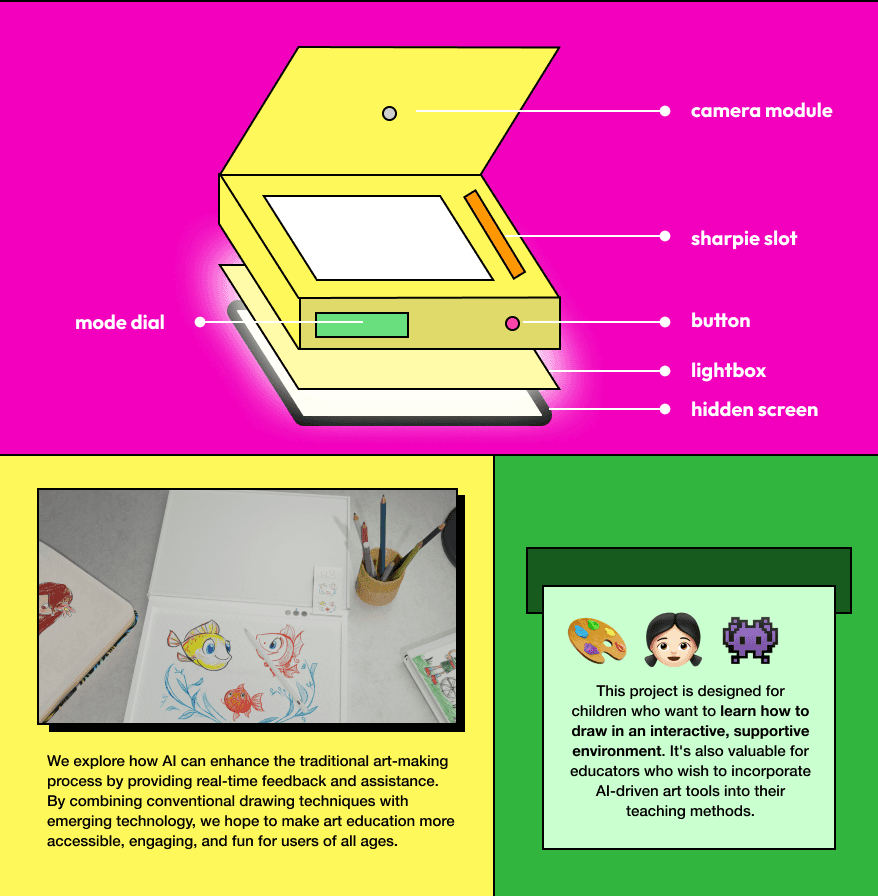
Version 1: Lightbox-Based Drawing Guide
✔ AI projects step-by-step drawing prompts onto paper.
✔ Recorded user input to analyze drawing patterns.
🔄 User Feedback: Needed larger canvases and simpler controls.
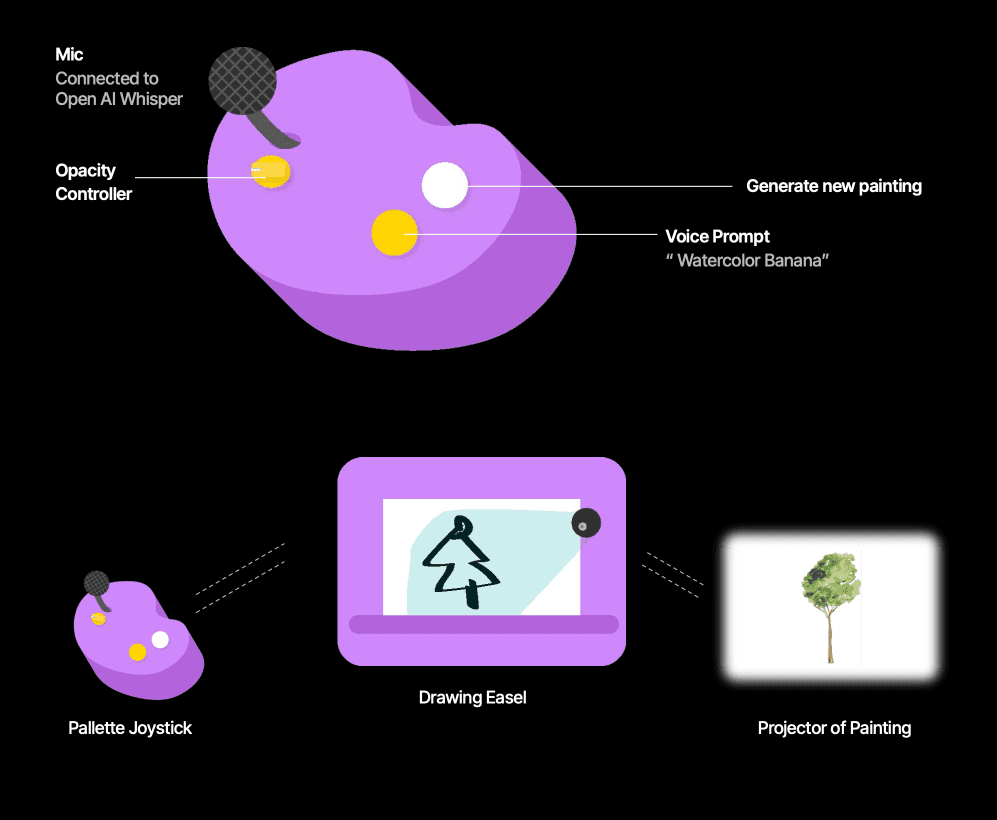
Version 2: Interactive AI Drawing Assistant
✔ Dial-based control system for customizable guidance.
✔ Microphone input for voice-activated suggestions.
✔ Expanded to bigger canvases for natural drawing feel.

⭐ Final product & Measuring Impact & Success
Key Outcomes from Testing & Feedback:
✅ 35% increase in student engagement with AI-assisted drawing.
✅ 80% of teachers expressed interest in using it in the classroom.
✅ Positive student feedback – Less fear of making mistakes.
⭐ Lessons as a Product Manager & Next Steps
My Responsibilities:
Led user research with students and teachers to understand engagement challenges in digital learning.
Designed a user-friendly interface that adapts to students’ learning pace.
Developed an interactive AI assistant that provides real-time feedback and adaptive drawing prompts.
Analyzed user feedback & iteration cycles to improve product usability.
Key Takeaways
✔ User Research is Crucial – Observing real classrooms gave insights surveys couldn’t.
✔ Balancing Guidance & Creativity Matters – The best tools empower, not instruct.
✔ Iteration is Key – The design evolved through data-driven decision-making.

Future Roadmap
📌 AI Personalization – Adapting to individual learning styles.
📌 Gamification – Adding rewards-based challenges to boost engagement.
📌 Expanding to Other Creative Domains – Applying AI guidance to music & storytelling.